¶ 7 Days to Die: Add Gamepass / Epic Games users as Admins
Normally to add admins you would add players as admins via Steam ID. However with Gamepass you'll need to use one of the following admin commands to give a player admin.
¶ Step 1: Open the console
In game, press F1 to open the console.
¶ Method 1: Add admin via username
¶ Step 1: Admin command
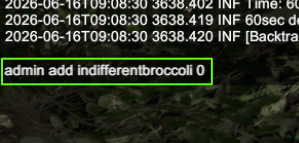
Type admin add [Username] 0 replacing [username] with their username.
¶ Step 2: All done!
The targeted player will now have admin permissions.
¶ Method 2: Add via entity ID
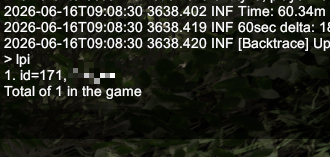
¶ Step 1: Type 'lpi'
This will give you a list of all online players, and their IDs
¶ Step 2: Admin command
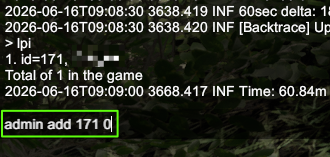
Type admin add [ID] 0 replacing [ID] with their ID.
¶ Step 3: All done!
The targeted player will now have admin permissions.