¶ Runescape Dragonwilds: How to Upload a Save to your Server
Whether you have already been playing a save and want to transfer it to our servers, or you want to have more control over the world settings, this quick guide can help you get up and running with a world of your choosing.
¶ Step 1: Upload your Save
1. Navigate to %LocalAppdata%/RSDragonwilds/Saved/SaveGames on your PC
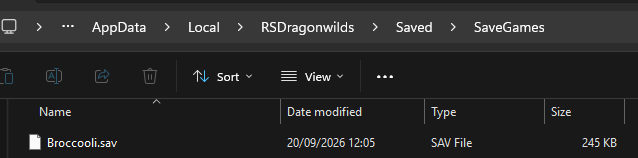
2. Inside here, find a .sav file named after the world you wish to upload
3. Upload this file to /RSDragonwilds/Saved/SaveGames on your indifferent broccoli dashboard
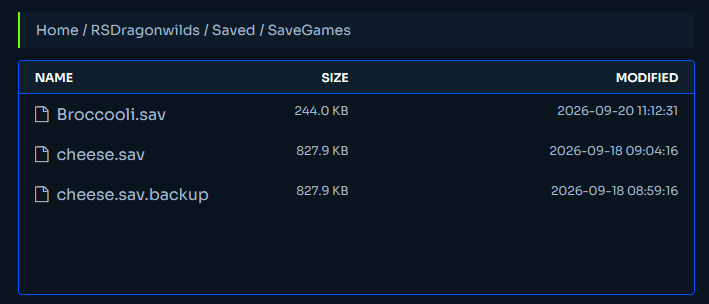
4. In the Basic Server Settings tab on your dashboard, change World Name for the name of the file you just uploaded

¶ Step 3: Test!
You can now turn on the server and play on your world of choice!