¶ How to Join Your Icarus Server
This guide will walk you through joining your Icarus dedicated server.
¶ Step 1: Get Your Server Info
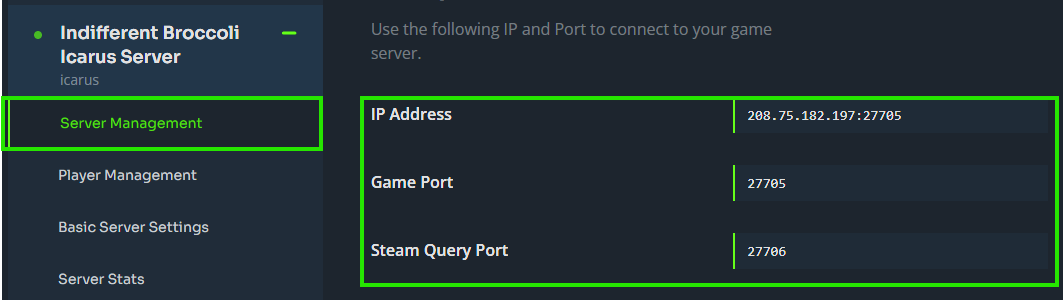
1. Log in to your Indifferent Broccoli panel and navigate to your Icarus server.
2. Find your server's IP address and port from the Server Management tab.
¶ Step 2: Launch Icarus
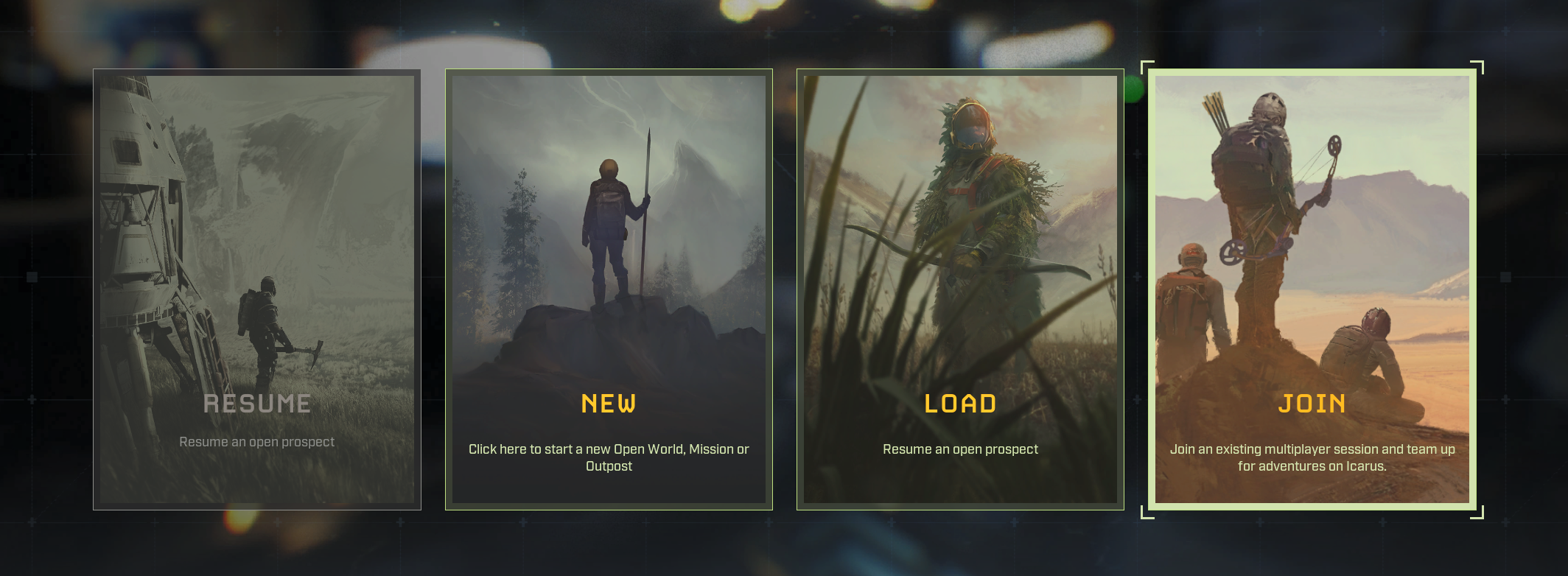
1. Start Icarus through Steam.
2. Select an existing character or create a new one.
3. Click Join.
¶ Step 3: Connect to Your Server
¶ Using Direct Connect
1. Click Dedicated Servers at the top of the screen.
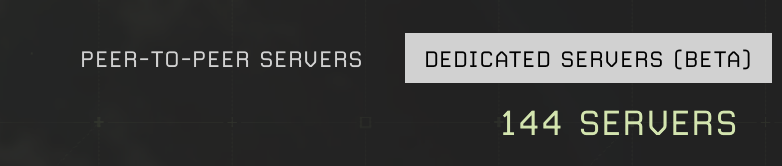
2. Click Direct Connect.
3. Enter your server's IP and port in the format 123.123.123.123:7777 then click Confirm.
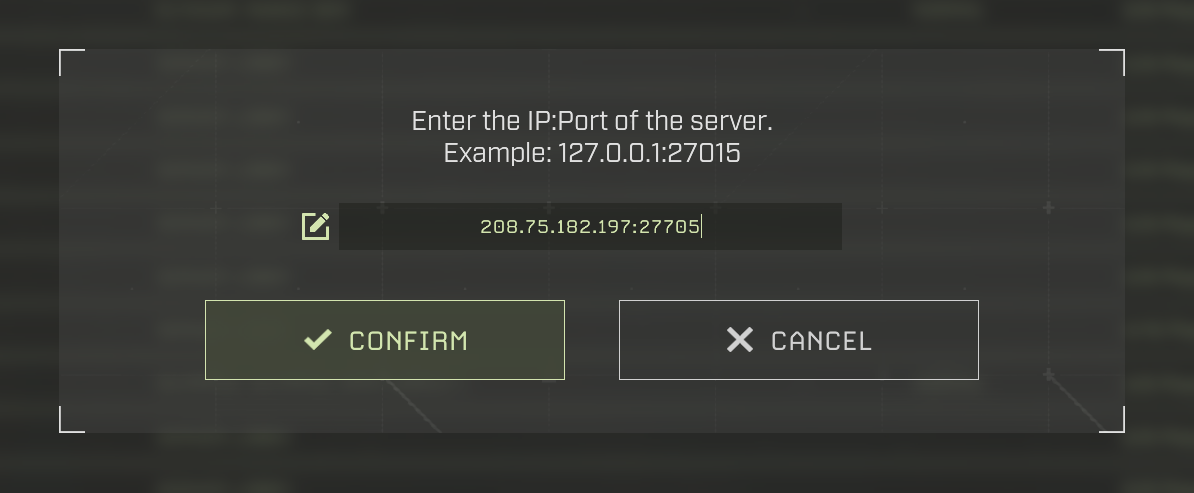
4. If your server has a password, enter it and click Confirm.
¶ Using the Server List
1. Click Dedicated Servers at the top of the screen.
2. Wait for the server list to fully populate, then search for your server by name.
3. Double-click your server to join.
4. If your server has a password, enter it and click Confirm.
Note: If you can't find your server in the list, try using Direct Connect instead. The server list can take time to populate.

¶ You're In!
Once connected you will be in your Icarus server and ready to play.