¶ VEIN: How to Join Your Server
This guide will walk you through the different ways to join your VEIN dedicated server.
¶ Step 1: Get Your Server Info
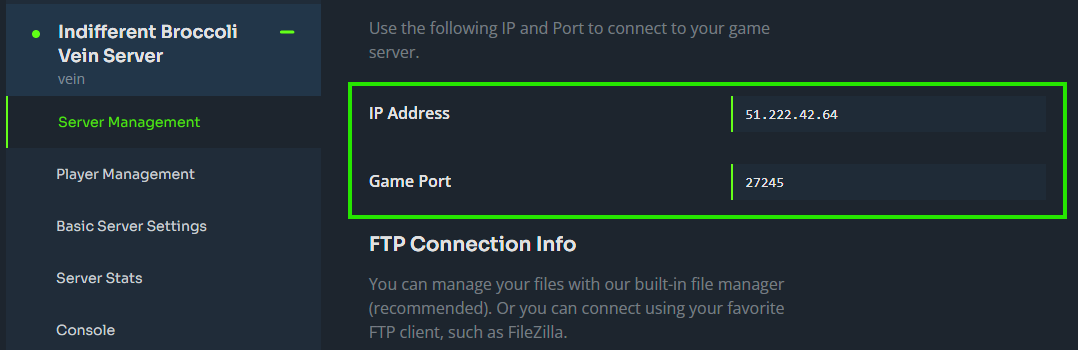
1. Log in to your Indifferent Broccoli panel and navigate to your VEIN server.
2. Copy your server's IP address, port, and Server Name from the Server Management tab.
¶ Method 1: In-Game (Recommended)
Joining your server via Direct Connect is the most reliable way to connect.
1. Launch VEIN through Steam and click Join Multiplayer.
2. Press Direct Connect.
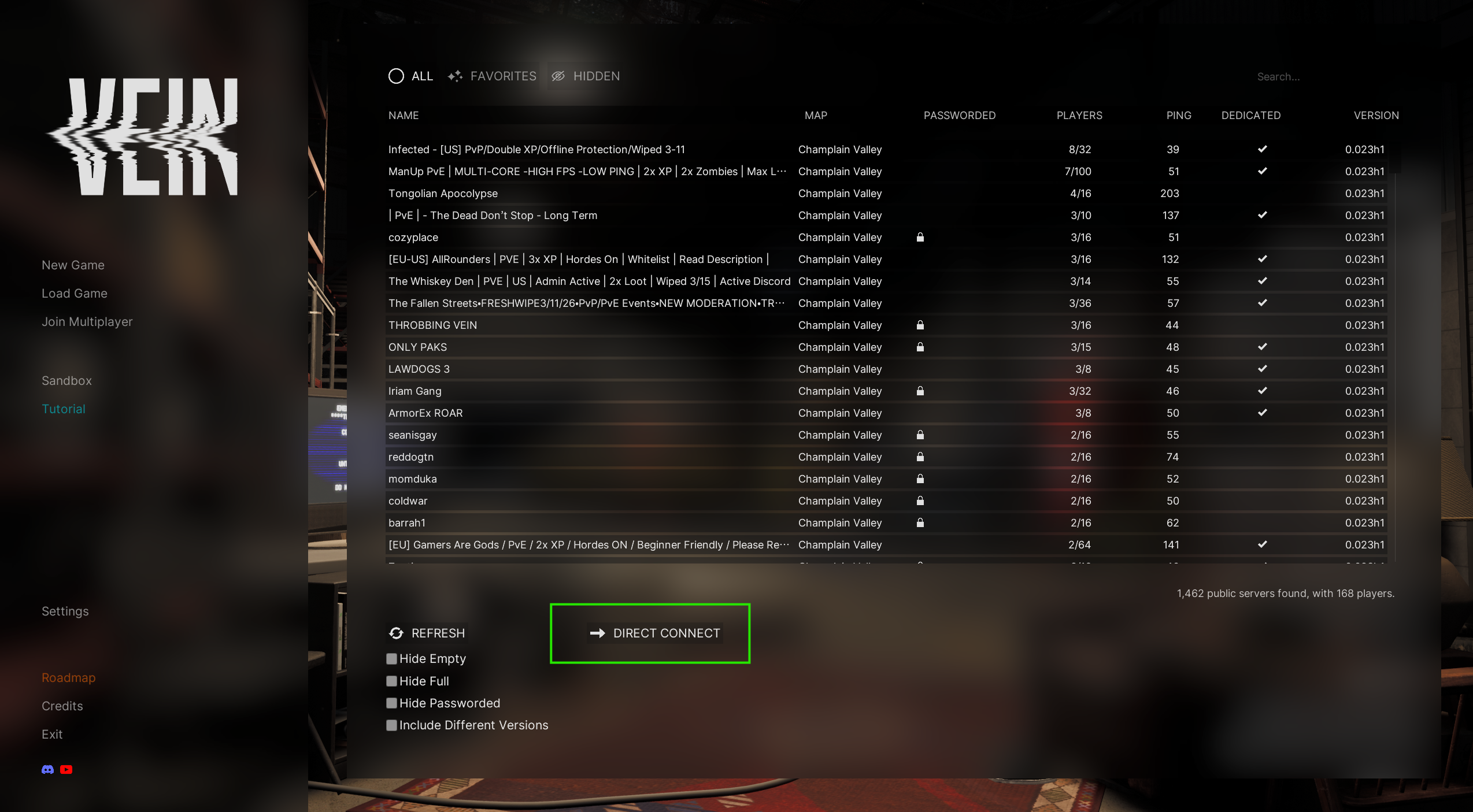
3. Type your server's IP and port in the format 123.123.123.123:7777.
4. If your server has a password, enter it when prompted.
¶ Method 2: Steam Favorites
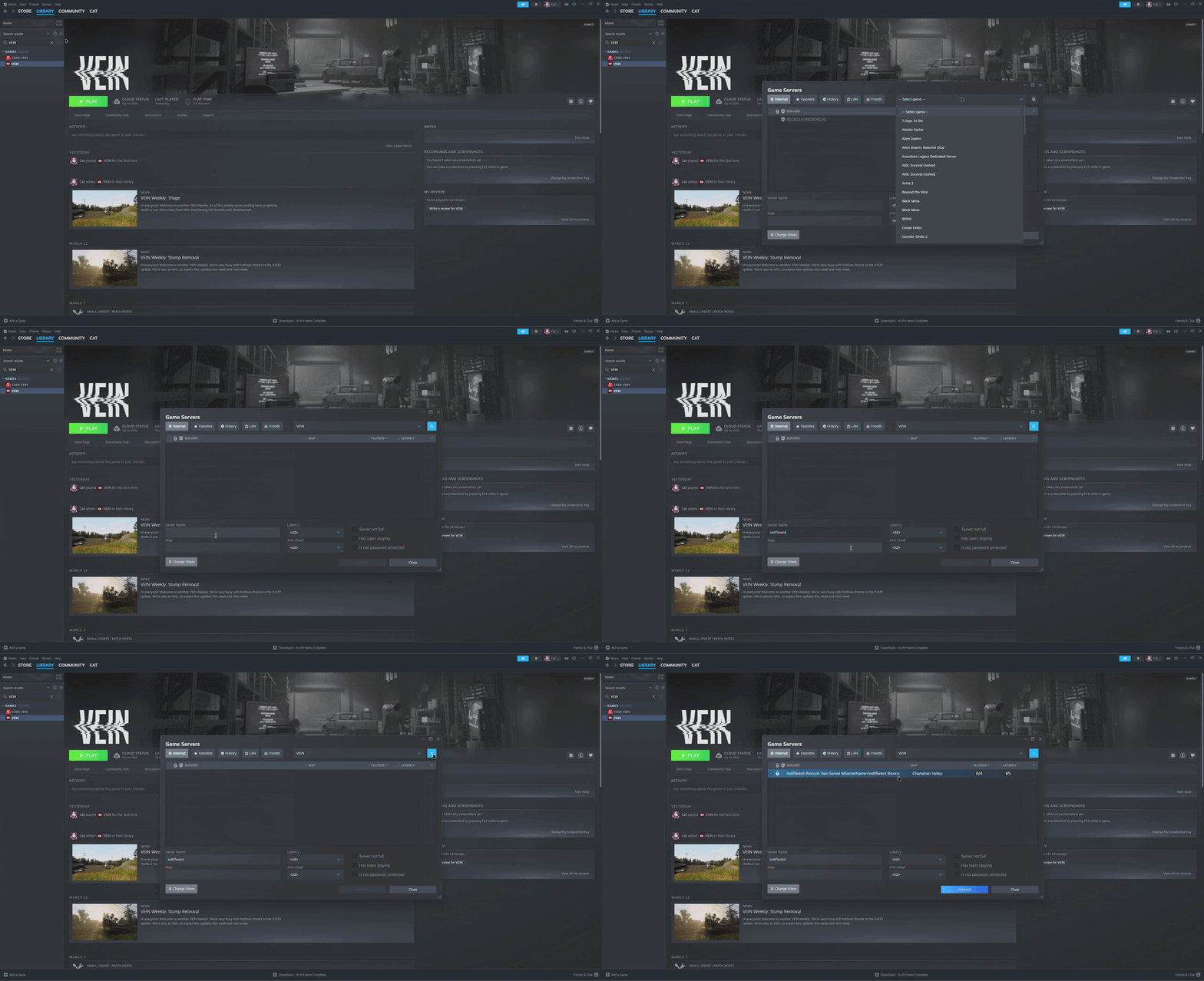
1. Open Steam and click View in the top menu bar.
2. Select Game Servers.
3. Click the Favorites tab, then click Add a Server.
4. Enter your server's IP and port in the format 123.123.123.123:7777 and click Add this address to favorites.
5. Launch VEIN through Steam and click Join Multiplayer.
6. Click the Favorites tab, select your server, and click Join.
7. If your server has a password, enter it and click Confirm.
¶ Method 3: Server Browser
1. Launch VEIN through Steam and click Join Multiplayer.
2. In the search bar at the top right, enter your Server Name.
3. Select your server from the results and click Join.
4. If your server has a password, enter it and click Confirm.
Note: The in-game server browser has a limit on how many servers it displays at one time. If you can't find your server, use Method 1 or 2 instead.
¶ You're In!
Once connected you will be in your VEIN server and ready to play.