¶ Finding Problem Mods
¶ Using the host function in game
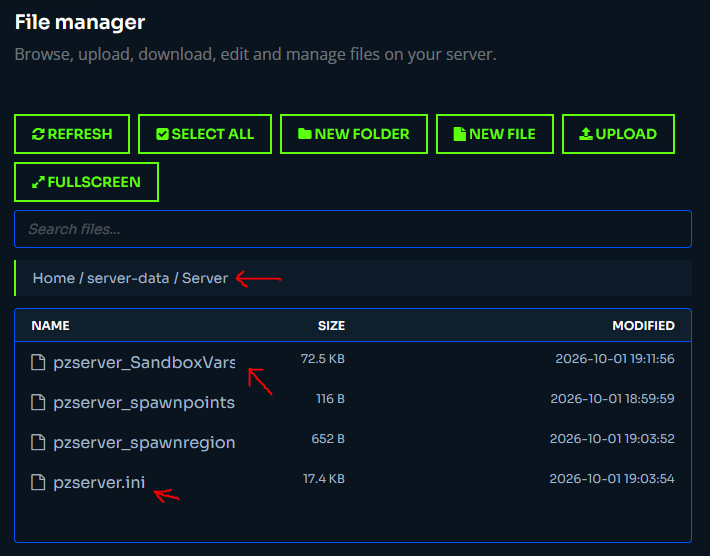
- If you have everything set on your broccoli server the way you want it including all the mods loaded then in the server dashboard go to the file browser and go to
Home / server-data / Serverhere, download thepzserver_SandboxVars.luaandpzserver.ini.
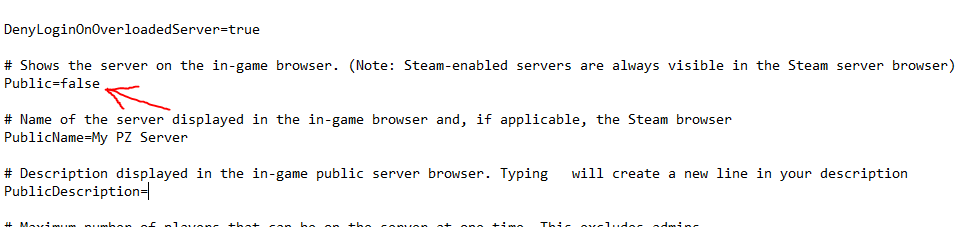
- Once you have pzserver.ini on your computer open it in notepad and change
Public=false
- Open up zomboid and hit host, click manage settings, click create new settings, type in pzserver for the name, and hit next, then next, and save.
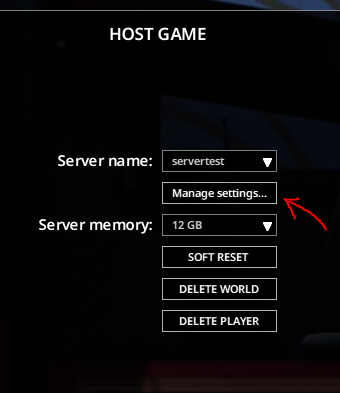
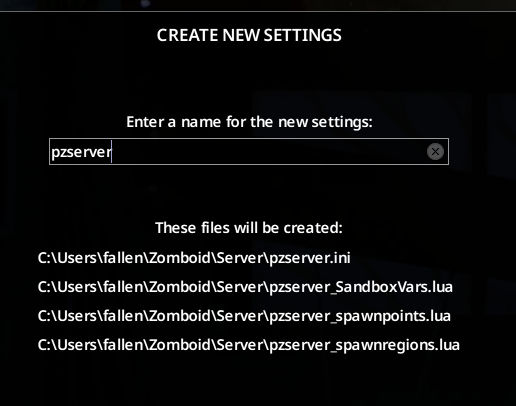
-
Close the game.
-
On your computer, go to
%userprofile%\Zomboid\Serverand move the two files you downloaded to this folder.
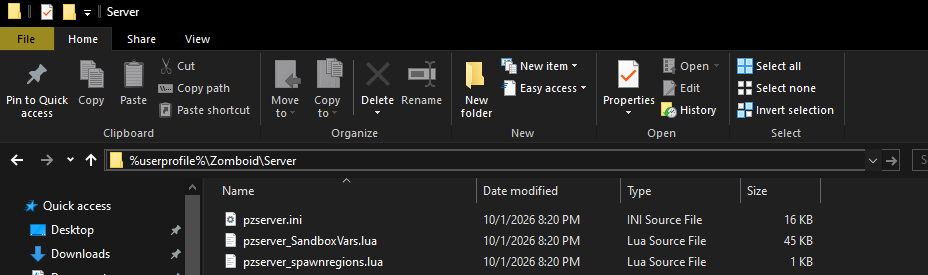
-
Now, you can open the game, go to host, if you click on server name, you should see pzserver in that list. Choose that and start, it should load you in with the same mod list as your live server.
-
In a hosted server, you can type
/setaccesslevel "your steam user name" admininto chat which will let you teleport and change settings. -
Now, confirm you're still seeing the same issues as your live server with loot and such. If you are, start cutting your mod list in half.
-
To do so, close the game, then to go to
%userprofile%\Zomboid\Serverand editpzserver.inidirectly. -
Once you have
Mods=andWorkshopItems=updated save the file and open zomboid back up, go to host game, make sure pzserver is selected and click delete world which will clear the previous world so everything generates again from scratch. -
Repeat as needed until the unexpected behaviour is elimnated.
-
Then, you can start adding mods slowly until you find the one causing the issues.
Doing this can let you figure out which mod(s) could be causing issues through process of eliminiation.
Below, I've also included a helper google sheet that you can use to add mods one per line for organization and help with the process of elimination.