¶ Project Zomboid: How to add SpawnRegions
If you want to be able to choose your spawns at the beginning of the game you'll need to follow these steps to be able to choose from the default four spawnpoints in Muldraugh, Riverside, Rosewood & West Point. If you want to add modded spawnpoints, you can follow this guide.
1. Click the **Advanced Server Settings (**If you're hosting your Project Zomboid server with indifferent broccoli).
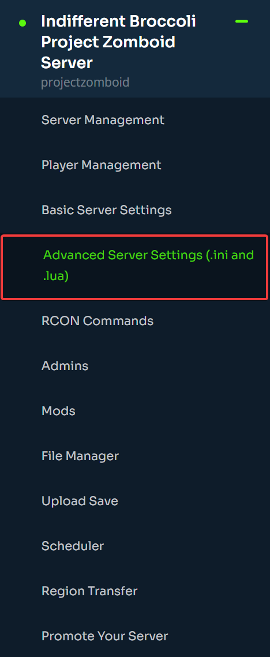
2. From here you can scroll down and edit the spawn regions directly.
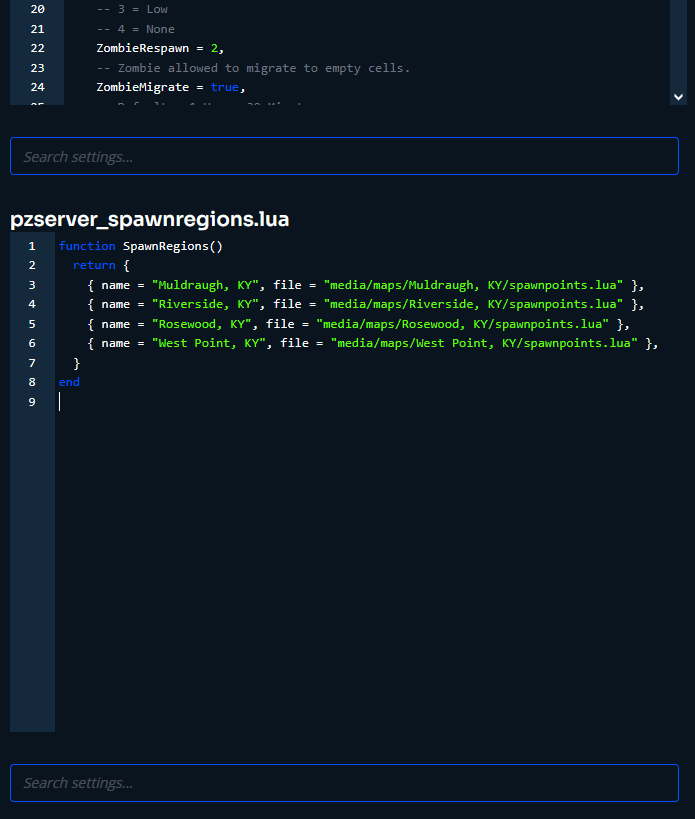
¶ Example:
The default regions file is below.
function SpawnRegions()
    return {
        { name = "Muldraugh, KY", file = "media/maps/Muldraugh, KY/spawnpoints.lua" },
        { name = "Riverside, KY", file = "media/maps/Riverside, KY/spawnpoints.lua" },
        { name = "Rosewood, KY", file = "media/maps/Rosewood, KY/spawnpoints.lua" },
        { name = "West Point, KY", file = "media/maps/West Point, KY/spawnpoints.lua" },
    }
end
To add a new spawn region you'll just add a line at the end with the new file and name.
{ name = "new map spawns", file = "media/maps/newmap/spawnpoints.lua" },
Which will look like this.
function SpawnRegions()
    return {
        { name = "Muldraugh, KY", file = "media/maps/Muldraugh, KY/spawnpoints.lua" },
        { name = "Riverside, KY", file = "media/maps/Riverside, KY/spawnpoints.lua" },
        { name = "Rosewood, KY", file = "media/maps/Rosewood, KY/spawnpoints.lua" },
        { name = "West Point, KY", file = "media/maps/West Point, KY/spawnpoints.lua" },
        { name = "new map spawns", file = "media/maps/newmap/spawnpoints.lua" },
    }
end