¶ How to Fix the Invisible Blueprint Bug
Satisfactory currently has a known bug where your blueprints may become invisible after placing or leaving an area and returning. Here is how you can fix this issue:
¶ Step 1: Open Save in Singleplayer
1: Download your save from your server using this guide
2: Open your save in singleplayer
¶ Step 2: Change the Save Game and Session Name
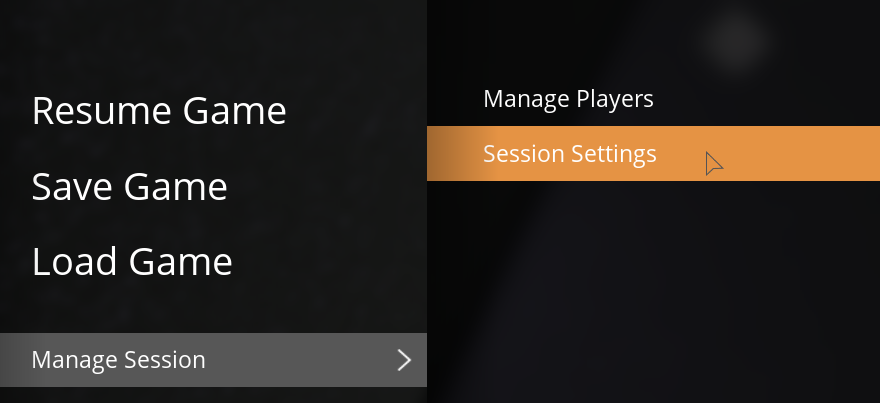
1: Navigate to your Pause Menu, navigate to Manage Session then Session Settings, then change the Session Name to something without any special characters (!-$%&*, etc.) or spaces. Make sure to hit apply!

2: Still in your Pause Menu, navigate to Save Game, then create a new save, with the name matching the Session Name you just input in Step 3

¶ Step 3: Upload the save back to your server
1: Upload your new save back to your server, we have a guide here if you need it
¶ Step 4: Change your blueprint folder name
1: On your dashboard file manager, or via SFTP, navigate to the following location:
.config/Epic/FactoryGame/Saved/SaveGames/blueprints
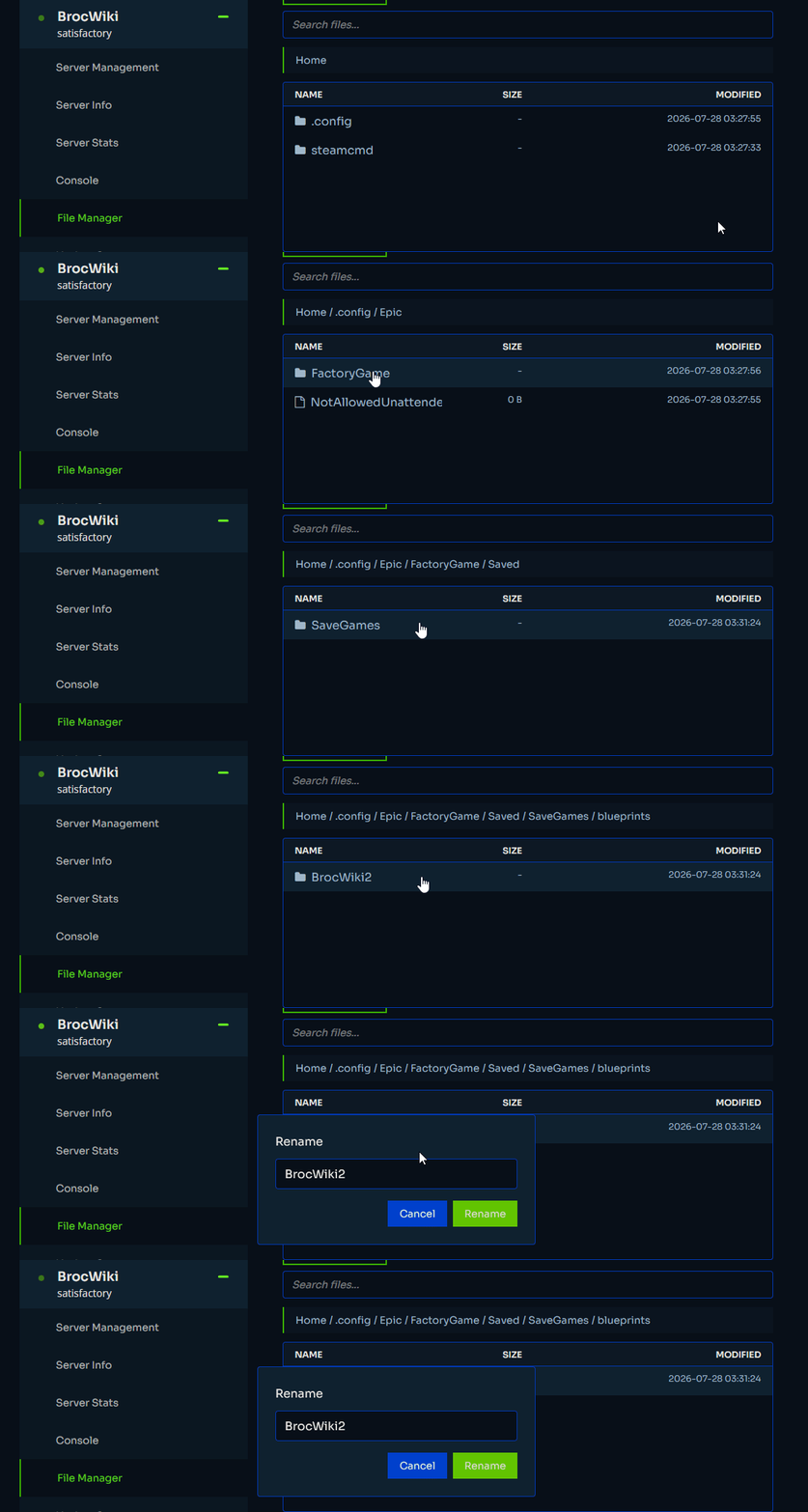
2: Rename the folder in that location to the name you put as your Session Name and Save Game in previous steps
¶ Step 5: Restart the server
1: Restart your server via our dashboard, and once you it is back online you should be all set!