¶ Valheim: How to Update your Server
Iron Gate ships an update, your server just sits there until you tell it to catch up. Rude. Well you can fix that, and it takes just a couple clicks. Give or take. :|
Note: Back up your world before updating, especially for a major release like 1.0. See How to Download your World and keep How to Restore a Backup handy just in case. Mods can also break after a big update, check How to Install Mods for what to watch for once a fix is out.
¶ Update or revert your version
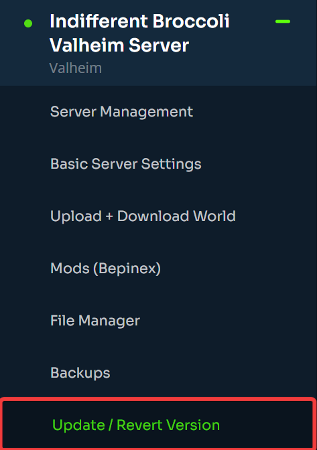
1. On your indifferent broccoli server dashboard, open the Update / Revert Version tab.
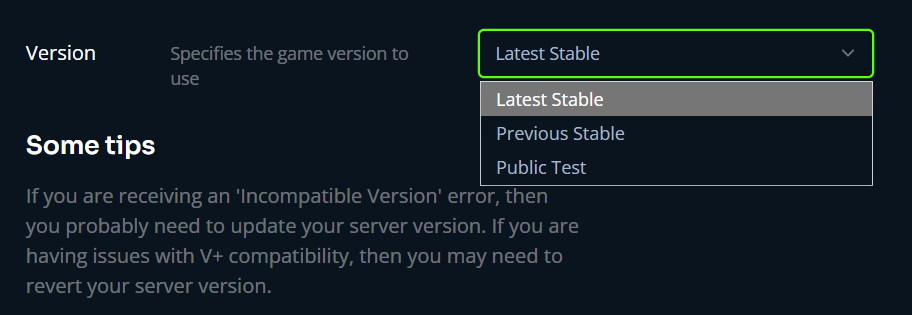
2. Select your desired version from the dropdown menu. This list includes the newest release along with older versions, so the same menu covers you if you ever need to roll back instead of update forward.
3. Your server restarts and updates automatically. This takes a few minutes depending on the size of the update, once it's back online you can reconnect as usual.
Done. You're on the new version. Nobody has to know it was this easy.